Monday, June 3, 2013
How to install Windows 8 Start Button? Try Classic Shell.
Do you know that you can add a Start Button into Windows 8 Desktop, which was omitted by Microsoft?
I personally use Classic Shell which I find very user friendly.
Download Classic Shell here for free.
You can even choose to use between Windows Classic, XP or Vista Start Button Style. Very handy.
Enjoy.
Sunday, June 2, 2013
How to Auto Shutdown your PC?
I am sure sometime you can't shutdown you PC when you need to go out but don't want the PC to be running the whole day.
Here's a simple automatic shutdown program for Windows.
Auto Shutdown 1.1.0.53: Free Download
Just schedule a time, choose Turn Off and Apply. The PC will turn off at the time you specified.Cheers.
Thursday, April 4, 2013
How to backup Microsoft Outlook contact and emails
To backup Outlook database, you first need to search your PC for outlook data file. These files are with pst extension. See below,
1) Choose > Start Button -> Search -> Search for Files
2) Type *.pst in the seach box and press 'Enter'
3) The outlook data files with names ending with .pst will be listed
4) Copy the paste the files to your backup drive or external hard disk
5) Below is how I backup into my SD Card
6) Remember to close Microsoft Outlook before backup because Windows doesn't allow you to copy opened files.
Sunday, December 30, 2012
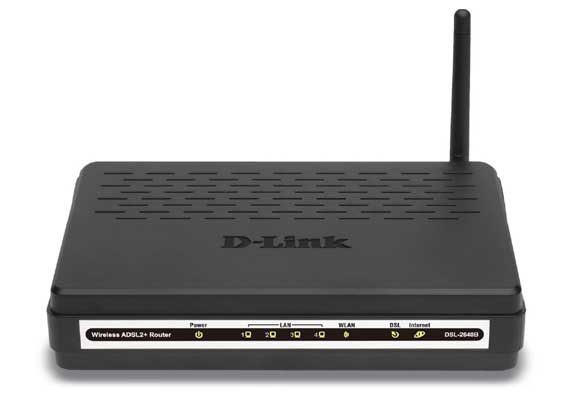
How to setup Dlink wireless router?
Here's 2 wonderful guide for your reference.
1) http://www.plus.net/support/broadband/hardware/dsl2640b.shtml
2) http://techtips.salon.com/set-up-d-link-router-4840.html
God luck and Happy New Year 2013.
Tuesday, December 25, 2012
Merry Christmas
Cheers.
Wednesday, December 12, 2012
Windows 8 Acer Iconia W510 tablet
My first experience with Windows 8 on Acer Iconia W510 tablet / laptop
After waiting 1 week for the stock to arrive, I had finally started my adventure with Windows 8.
Mine is Acer Iconia W510 with Intel Atom processor, 2GB RAM & 64 GB storage.
You can use it with a dock keyboard or just use it as a table.
The first thing I like to highlight is that it's not a iPad. The user experience is no where near iPad. The tablet is hard to hold, screen isn't easy to navigate with touch and applications are not so touch friendly.
As a laptop, the screen it a little too small and a little slow.
But, it still do both quite OK. Just ok that I don't get frustrated using it.
Windows 8 is a little weird with the new metro & desktop without start button.It uses the Windows button to navigate.
While in dock mode, I use the Windows desktop. While in tablet mode, I would use the metro icons.
After a few days testing, I feel that I can live with this as my laptop & tablet.
I have long trying to leave my laptop behind and use my tablet but tablet are just not ready for everyday work.
So the hybrid tablet & laptop is still the best for my job as a IT manager.
Now I just carry my Acer Iconia along insted of a tablet and laptop everywhere.
If you are in my shoes, give the Windows 8 hybrid a try.
Here's some references for you :-
http://www.engadget.com/2012/10/09/acer-iconia-w510-review/
http://reviews.cnet.com/tablets/acer-iconia-w510-1422/4505-3126_7-35472859.html
Subscribe to:
Comments (Atom)